ChatGPT vs Claude vs Gemini: Which AI Should You Use (and How to Prompt Each One)
- There's no single "best" assistant -- the right one depends on the specific task, and that answer changes by task, not by user.
- The three differ meaningfully in context window size, memory handling, and privacy/data-handling defaults, not just output quality.
- Pricing and free-tier limits vary enough between the three that cost alone can be a deciding factor for high-volume use.
- Prompting conventions differ across the three -- a prompt tuned for one doesn't always transfer cleanly to another.
- Using more than one isn't unusual -- many workflows genuinely benefit from routing different tasks to different assistants.
Picking between ChatGPT, Claude, and Gemini is not really a question of which one is “best” — it is a question of which one is best for the specific thing you are about to do, and that answer changes depending on the task. This guide breaks down what each is genuinely strongest at right now, what a fair side-by-side comparison actually looks like, and how to adjust your prompting once you have picked one, since the same prompt does not perform identically across all three.
One honest note before the comparison: the specific model versions behind each assistant change every few weeks, sometimes faster than that. As of mid-2026, ChatGPT runs on the GPT-5.6 family (Sol, Terra, and Luna tiers, covering flagship-to-fast), Claude‘s current flagship is Claude Sonnet 5, and Gemini runs Gemini 3.1 Pro on paid tiers with Gemini 3.5 Flash as the default free-tier model. By the time you read this, at least one of those will likely have shifted. The structural differences below — what each company’s assistant tends to be built around — hold much steadier than the specific version numbers, so that is where most of this guide focuses.
What Each Assistant Is Actually Built Around
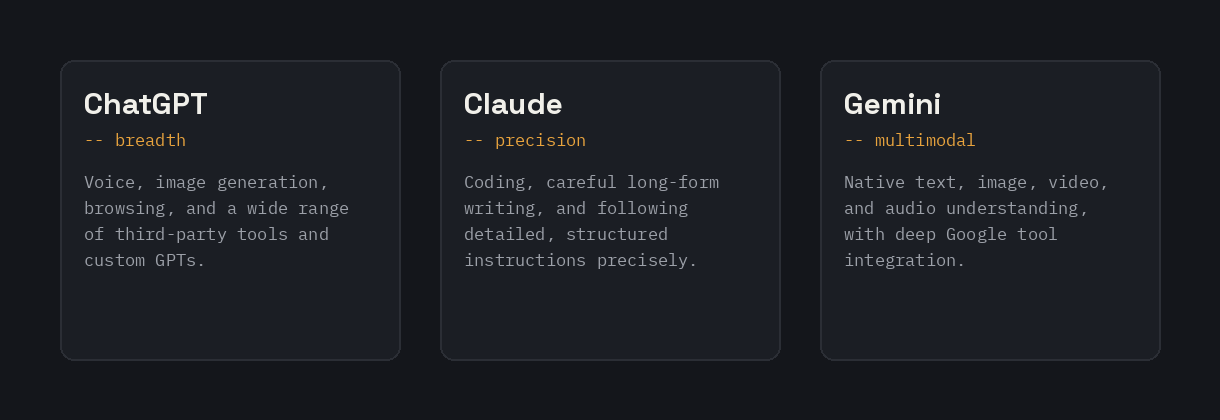
ChatGPT has the broadest consumer feature set of the three — voice conversation, image generation built directly into the chat, computer-use capability (letting it operate a desktop directly for the tasks that support it), and the largest third-party plugin and custom-GPT ecosystem. It tends to be the most forgiving of casual, conversational prompting, and its image generation has consistently ranked among the strongest available for both generating new images and editing existing ones.
Claude is built with a strong emphasis on careful reasoning, nuanced writing, and following detailed instructions precisely — particularly structured instructions like XML tags separating a task from its context or format. It has built a strong reputation specifically for coding assistance and long-form writing that requires holding onto nuance and consistency across a long response, and it tends to be the most literal about respecting an explicit constraint you give it.
Gemini is built around deep integration with Google’s own ecosystem — Workspace, Search, and native multimodal understanding across text, image, video, and audio in a single model. It tends to reward direct, unhedged prompts, and for anything involving current events or real-time information, explicitly asking it to search first tends to produce more reliable results than assuming it will do so unprompted.
ChatGPT: Strengths and Ideal Use Cases
ChatGPT’s biggest practical advantage is breadth — if a task involves voice, image generation, browsing, or connecting to a wide range of third-party tools and custom GPTs, it currently has the deepest ecosystem of the three. Its image generation and editing capability in particular has remained near the top of independent image-model rankings, including strong performance on rendering readable text within generated images, which is a genuinely difficult capability for most image models. Computer-use features (letting it directly operate a desktop for supported tasks) are also unique to ChatGPT among the three as of this writing.
Where it tends to be the right pick: everyday consumer tasks, image generation and editing, voice-based interaction, and anything benefiting from a large existing library of specialized custom GPTs someone else has already built. The ChatGPT Prompt Generator on this site is built specifically around its particular conventions.
Claude: Strengths and Ideal Use Cases
Claude’s reputation is built most strongly around coding, careful long-form writing, and following detailed, structured instructions precisely. On independent human-preference rankings, Claude’s models have repeatedly ranked at or near the top of text-quality leaderboards, and it has a particularly strong track record for tasks where getting nuance and consistency right across a long response matters more than raw speed.
Where it tends to be the right pick: software development and code review, long-form writing that needs to hold a consistent voice and argument across many paragraphs, and any task where you are giving detailed, structured instructions (like XML-tagged context and format sections) that need to be followed precisely rather than loosely interpreted. The Claude Prompt Generator and Claude Project Instructions Generator on this site are built around exactly this strength.
Gemini: Strengths and Ideal Use Cases
Gemini’s core advantage is native multimodal understanding — handling text, images, video, and audio within a single model — combined with deep integration into Google’s own tools. For anyone already living inside Gmail, Docs, and Sheets, that integration alone can outweigh small differences in raw model quality elsewhere. Gemini has also consistently offered a genuinely capable free tier, with its free-tier default model updated more aggressively than either competitor’s free offering.
Where it tends to be the right pick: tasks that mix media types (analyzing a video alongside text, or working across images and documents together), anything that benefits from tight Google Workspace integration, and cost-sensitive use cases where a strong free tier or lower per-token pricing matters. The Gemini Prompt Generator on this site is built around its specific conventions.
A Fair Side-by-Side Comparison
- Image generation and editing: ChatGPT has generally led independent rankings for both, including text rendering within images. Gemini’s image capability (branded Nano Banana in its consumer-facing form) is also genuinely strong and improves with each generation.
- Coding and long-form writing quality: Claude has the strongest sustained reputation here, particularly for tasks requiring nuance and consistency across a long response.
- Real-time information and search integration: Gemini’s native tie to Google Search tends to make it the most reliable of the three for current-events questions, provided you prompt it to actually search rather than assume it will.
- Ecosystem and third-party tools: ChatGPT has the largest library of custom GPTs and third-party plugin integrations.
- Cost and free-tier generosity: this shifts often enough between all three that it is worth checking current pricing directly rather than relying on a fixed comparison, but Gemini has generally been aggressive about free-tier capability, and all three offer a range of paid tiers at different price-to-capability points.
How Prompting Differs Across the Three
The same underlying prompt structure — task, context, format, constraints — works across all three, but each rewards slightly different emphasis. Claude tends to follow explicit structure most literally, so wrapping context and format instructions in clear tags (like an XML-style
If you maintain a prompt library and use more than one of these regularly, the Multi-Model Prompt Converter on this site takes a single prompt and adapts it for all three at once, applying exactly these structural differences rather than pasting identical text into each.
Do You Actually Need to Pick Just One?
Increasingly, no. A growing number of people use more than one of these regularly — Claude for coding and serious writing, ChatGPT for image generation and everyday tasks, Gemini for anything touching Google Workspace or requiring current search results. There is a real cost to maintaining separate subscriptions and separate prompt habits across multiple tools, but for anyone whose work genuinely spans these different strengths, it is often a better trade-off than trying to force one assistant to be equally strong at everything.
If cost is the main barrier to running more than one, it is worth checking each platform’s free tier specifically before assuming you need a paid subscription to more than one at once — free-tier capability across all three has generally improved significantly over time, and a free tier is sometimes enough for occasional use of a second or third assistant alongside a primary paid one.
Which One Should You Actually Use? A Quick Decision Guide
- Mostly everyday tasks, image generation, and voice interaction: ChatGPT.
- Coding, technical work, or long-form writing that needs to hold nuance across a long response: Claude.
- Heavy Google Workspace user, or tasks mixing text/image/video/audio together: Gemini.
- Anything depending on current, real-time information: Gemini first, with an explicit instruction to search, though all three can search to varying degrees depending on your subscription tier and settings.
- Budget is the deciding factor: check current free-tier capability on all three directly, since this specific detail changes often and whichever is most generous shifts over time.
Pricing and Free Tier, in More Detail
Pricing across all three follows a similar broad pattern — a usable free tier, a mid-priced individual paid plan, and higher business/enterprise tiers — but the specific numbers and what each tier unlocks shift often enough that any exact figure printed here risks going stale within a few months. A few things are worth checking directly rather than assuming: whether the free tier gives you the current flagship model or an older, cheaper one behind the scenes (this varies by platform and changes over time), what the actual usage caps are during peak hours, and whether image generation, voice, or search features are gated to a paid tier specifically.
As a general pattern that has held reasonably steady: paid individual plans across all three tend to sit in a broadly similar monthly price range, with the meaningful differences showing up in usage limits, which specific model version you get access to, and which extra features (voice, image generation, larger context windows, agent-style features) are included versus gated further. If cost is the deciding factor in your decision, comparing current free-tier capability directly is more useful than comparing sticker prices on the paid tiers, since free-tier generosity has moved the most over time out of any pricing variable across all three companies.
Context Window and Memory Differences
How much a model can “remember” within a single conversation, and across separate conversations, varies meaningfully between the three and matters more than it might seem for certain tasks. A large context window (the amount of text a model can consider at once) matters directly for tasks like analyzing a long document, a large codebase, or an extended conversation history without the model losing track of earlier details. Gemini in particular has built a reputation around unusually large context windows, which shows up concretely in tasks like reviewing an entire lengthy contract or codebase in a single pass rather than splitting it into chunks.
Cross-conversation memory — whether an assistant remembers details from a previous, separate conversation rather than just the current one — is a different capability from context window size, and all three have shipped some version of persistent memory features, with real differences in how much control you have over what gets remembered and how easily you can review or delete it. For anyone working with sensitive information across many sessions, checking exactly what a given assistant retains between conversations, and how to manage or clear that, is worth doing directly on whichever platform you use most, since this is an area where each company’s approach has continued to evolve.
Privacy and Data Handling Considerations
All three companies have data-handling policies that affect whether your conversations are used for further model training by default, and all three offer some form of opt-out or business-tier setting that limits this. The specifics — default settings, exact opt-out mechanisms, and how long data is retained — vary by platform and by which specific tier or plan you are on, and these policies are updated periodically by each company, so checking the current policy directly on whichever platform you use most is worth doing before sending anything genuinely sensitive.
A practical rule that holds regardless of which platform you use: treat any AI chat as though it could potentially be reviewed by the company running it, unless you have specifically confirmed a business or enterprise tier with contractual data protections in place. For everyday use this rarely matters, but for anything involving confidential business information, unreleased work, or sensitive personal details, checking the actual current policy — not just assuming based on a general reputation — is the safer approach.
Agent and Automation Features
All three have moved toward letting their assistant take multi-step action on your behalf rather than just answering questions — browsing the web, executing code, managing longer background tasks, and in ChatGPT’s case, direct computer-use control of supported desktop actions. These agent-style capabilities are evolving quickly and unevenly across the three, with different features rolling out to different subscription tiers at different times, so a specific capability being available on one platform today does not guarantee it stays exclusive for long. If an agent-style feature — running a multi-step task unattended, executing code directly, or controlling a browser or desktop on your behalf — is central to what you actually need, it is worth checking each platform’s current documentation directly rather than relyi
Voice mode, if talking matters to you
All three now offer a voice interface, but they don’t feel the same to actually use. ChatGPT’s voice mode tends to come across as the most natural and least robotic of the three, which matters if you plan to use it for things like practicing a language, thinking out loud through a problem, or any use case where the conversation itself is the point, not just a hands-free way to type. If voice interaction is a meaningful part of how you’d actually use one of these, it’s worth testing directly rather than assuming text-mode strengths carry over — a model that writes well doesn’t automatically sound natural to talk to.
All three still make things up — verify anything that matters
Every one of these models will occasionally state something incorrect with full confidence, and none of them reliably flags when they’re doing it. This gets worse, not better, on niche or fast-moving topics where the training data is thinner. Treat anything you’d actually rely on — a statistic, a legal or medical claim, a specific fact you’re about to publish or act on — as something to verify independently, regardless of which of the three produced it. None of the three is meaningfully more trustworthy than the others on this specific point; the safer habit is checking anything that matters, not picking the model you trust more.
Tools to Help You Use Each Platform Well
This site has a dedicated prompt generator for each platform, built around that platform’s specific conventions rather than a single generic template reused across all three: the ChatGPT Prompt Generator, the Claude Prompt Generator, and the Gemini Prompt Generator. For anyone maintaining prompts across more than one platform, the Multi-Model Prompt Converter handles the adaptation automatically.
FAQ
Which AI model is objectively the best?
There is no single objectively best model across every task — each of the three has a genuinely different area of strength, and “best” depends heavily on what you are actually trying to do, from coding to image generation to real-time research.
Do these rankings change often?
Yes, frequently — all three companies ship new model versions every few weeks to a few months, and independent benchmark rankings shift with each release. Treat any specific version comparison as a snapshot, not a permanent ranking.
Is it worth paying for more than one AI subscription?
For anyone whose work genuinely spans multiple strengths — coding plus image generation plus Google Workspace tasks, for example — many people find it worthwhile. For lighter or more general use, one strong assistant plus occasional free-tier use of a second is often enough.
Does the same prompt work equally well on all three?
The core structure (clear task, context, format, constraints) transfers across all three, but each has tendencies worth adjusting for — Claude responds especially well to explicit structured formatting, and Gemini benefits from direct phrasing and an explicit search instruction for time-sensitive questions.
Which one is best for a complete beginner to AI tools?
All three now offer a genuinely usable free tier and a fairly straightforward chat interface, so any of them is a reasonable starting point for a total beginner. ChatGPT’s broader ecosystem of pre-built custom GPTs can make it slightly easier to find a ready-made solution for a common task without prompting from scratch.